Follow each numbered part. Listen to the reading, hear the spoken explanation, and move downward in order.
1Check the sound
Ready. Tap a Read or Explanation button. Nothing starts automatically.
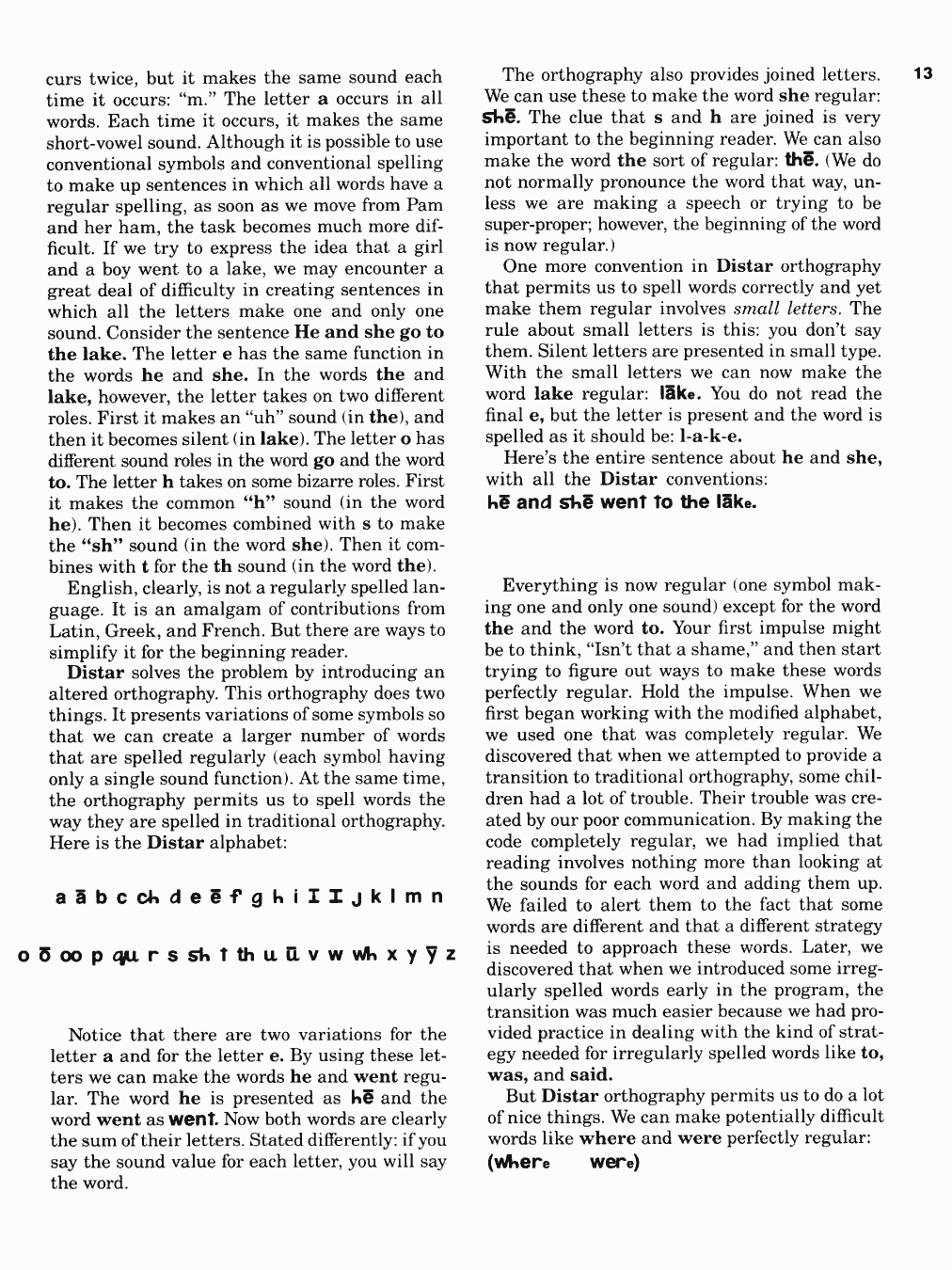
⚠ The source is scanned. The transcript below is **automatic OCR** and has NOT been fully proofread. Check every sentence, especially special phonics symbols, before pressing Read. Explanation scripts are editable teacher guidance, not a verified interpretation of every line.
2Read and explain — part by part
🔵 Blue button: read selected text. 💗 Pink button: read the explanation aloud. Each tap cancels the previous selection. Nothing automatically repeats.
01 · Guided reading and practice
One section at a time · Read → Explain → Repeat. No automatic replay.
Teacher tools · save or reset edits
02 · Guided reading and practice
One section at a time · Read → Explain → Repeat. No automatic replay.
Teacher tools · save or reset edits
03 · Guided reading and practice
One section at a time · Read → Explain → Repeat. No automatic replay.
Teacher tools · save or reset edits
04 · Guided reading and practice
One section at a time · Read → Explain → Repeat. No automatic replay.
Teacher tools · save or reset edits
05 · Guided reading and practice
One section at a time · Read → Explain → Repeat. No automatic replay.
Teacher tools · save or reset edits
06 · Guided reading and practice
One section at a time · Read → Explain → Repeat. No automatic replay.
Teacher tools · save or reset edits
07 · Guided reading and practice
One section at a time · Read → Explain → Repeat. No automatic replay.
Teacher tools · save or reset edits
08 · Guided reading and practice
One section at a time · Read → Explain → Repeat. No automatic replay.
Teacher tools · save or reset edits
09 · Guided reading and practice
One section at a time · Read → Explain → Repeat. No automatic replay.
Teacher tools · save or reset edits
10 · Guided reading and practice
One section at a time · Read → Explain → Repeat. No automatic replay.
Teacher tools · save or reset edits
11 · Guided reading and practice
One section at a time · Read → Explain → Repeat. No automatic replay.
Teacher tools · save or reset edits
12 · Guided reading and practice
One section at a time · Read → Explain → Repeat. No automatic replay.
Teacher tools · save or reset edits
13 · Guided reading and practice
One section at a time · Read → Explain → Repeat. No automatic replay.
Teacher tools · save or reset edits
14 · Guided reading and practice
One section at a time · Read → Explain → Repeat. No automatic replay.
Teacher tools · save or reset edits
15 · Guided reading and practice
One section at a time · Read → Explain → Repeat. No automatic replay.
Teacher tools · save or reset edits
16 · Guided reading and practice
One section at a time · Read → Explain → Repeat. No automatic replay.
Teacher tools · save or reset edits
3Original page 15 — shown below
Compare the recognized text with the exact scanned page. Pinch to zoom if needed.
4Finish and continue
Stop audio, mark this page complete, then open the next page. You can return any time.
Original textbook imagery is copyrighted and intended only for authorized private teaching. Do not publicly publish source scans without permission. Browser speech depends on available device voices; no sound starts automatically.